Estate
Write down for your family who should get which piece and where they find what they need. It is not a will.
Who gets which piece
- On a piece's page, tap ⋯ › Estate ….
- Under Intended for, type a name, or tap a name you used before.
- Under Note for my family, write what your family should know about the piece, for example where its box and papers are or whom to ask before selling it.
- Tap the check mark.
The piece's page then shows Estate at the end; Privacy mode hides it. Tap it to change it, or Remove to take it off. Wishes have no estate.
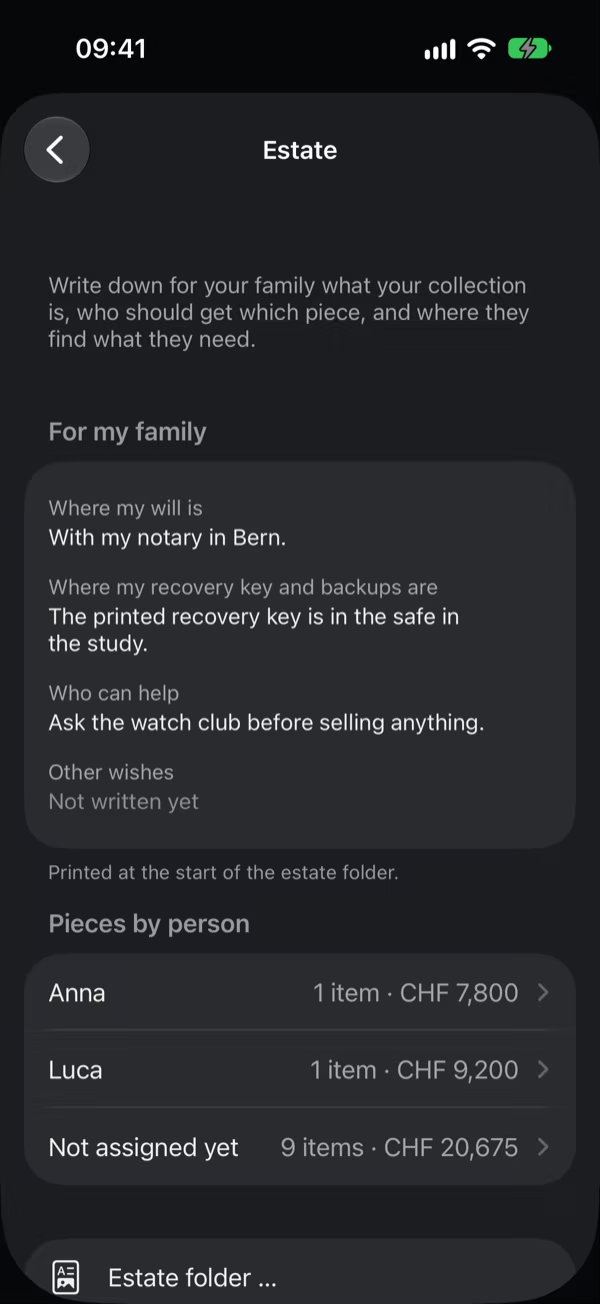
For my family
In Settings › Estate, write under For my family Where my will is, Where my recovery key and backups are, Who can help (a notary, a dealer you trust, an auction house, a club), and Other wishes. Every part is optional.
Pieces by person shows who gets how many pieces and what they are worth; Not assigned yet lists the others. A tap opens the list, and a tap on a piece opens it.
The estate folder
Estate folder … makes a PDF for your family:
- first what you wrote for them, then how they open your collection without you;
- then your pieces by person, and last the pieces not assigned yet, each with its photo, what identifies it, its inventory number, place, value, purchase, and your note.
Kuriosa asks for Face ID or your passcode first, because the folder says where your recovery key is. Serial numbers and other sensitive fields are in it only if you include them. Like every PDF, the estate folder comes with Kuriosa Unlimited. Only pieces you still have are listed.
For your will
A will is valid only if you write all of it by hand, with the date and your signature, or if you make it at a notary. A list or a printout from Kuriosa does not count, not even when your will refers to it. So name every piece in your handwritten will.
For your will in Settings › Estate helps with that: for each person, it describes their pieces so that nobody can mistake them, for example "Speedmaster Professional (Watches), Brand: Omega, Reference: 310.30.42.50.01.001, Inventory number: K-0001". The inventory number is also on the piece's label. Copy the lines into your will by hand; Copy and Print help you keep them at hand. Serial numbers come in only if you include them.
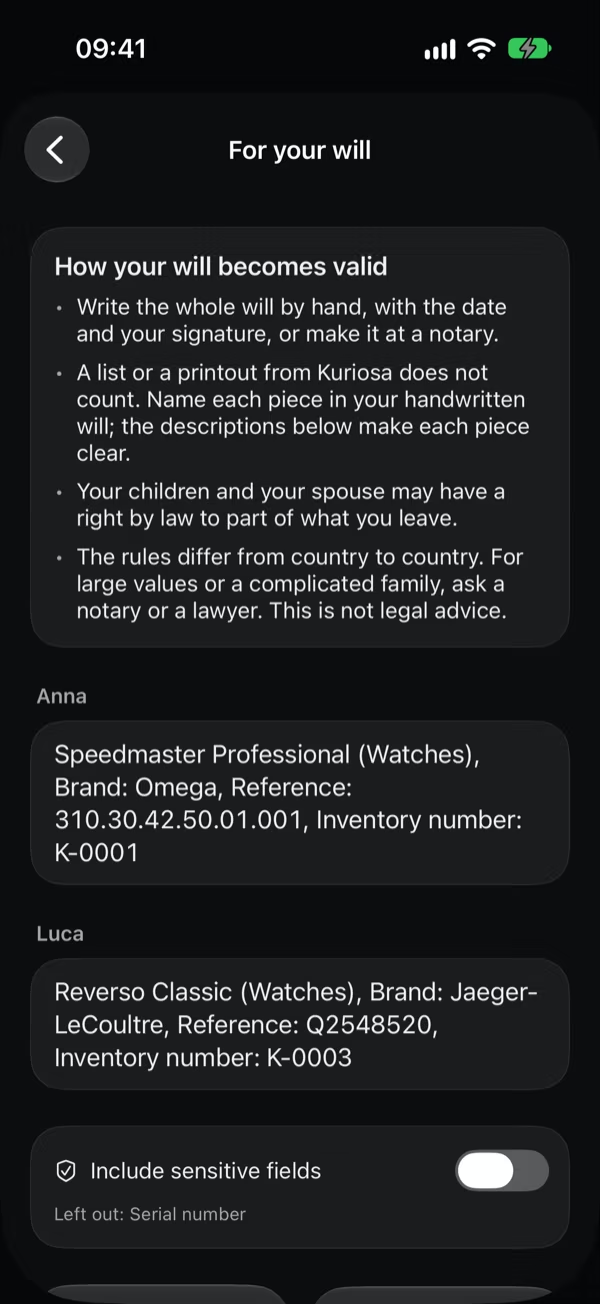
Your children and your spouse may have a right by law to part of what you leave, and the rules differ from country to country. For large values or a complicated family, ask a notary or a lawyer. Kuriosa gives no legal advice.
How your family opens the collection
- On your iPhone: with the iPhone's passcode, if the app lock asks for it.
- From a backup: with your recovery key, in Kuriosa on another iPhone, or without Kuriosa in any web browser with the free page Open a backup without Kuriosa.
Good to know
- Everything stays encrypted on your iPhone. It is in every backup, in Export everything …, and on every iPhone that shares the library.
- A piece that is sold, given away, lost, or used up no longer counts, even if a name is set.
- Kuriosa sends nothing to anyone: what you write here leaves your iPhone only in a file you make and share yourself.